Inside your LMS
Reading conversations
The responses list, its filters, and what every badge means
Select Responses to review the conversations you are allowed to read for this chatbot.
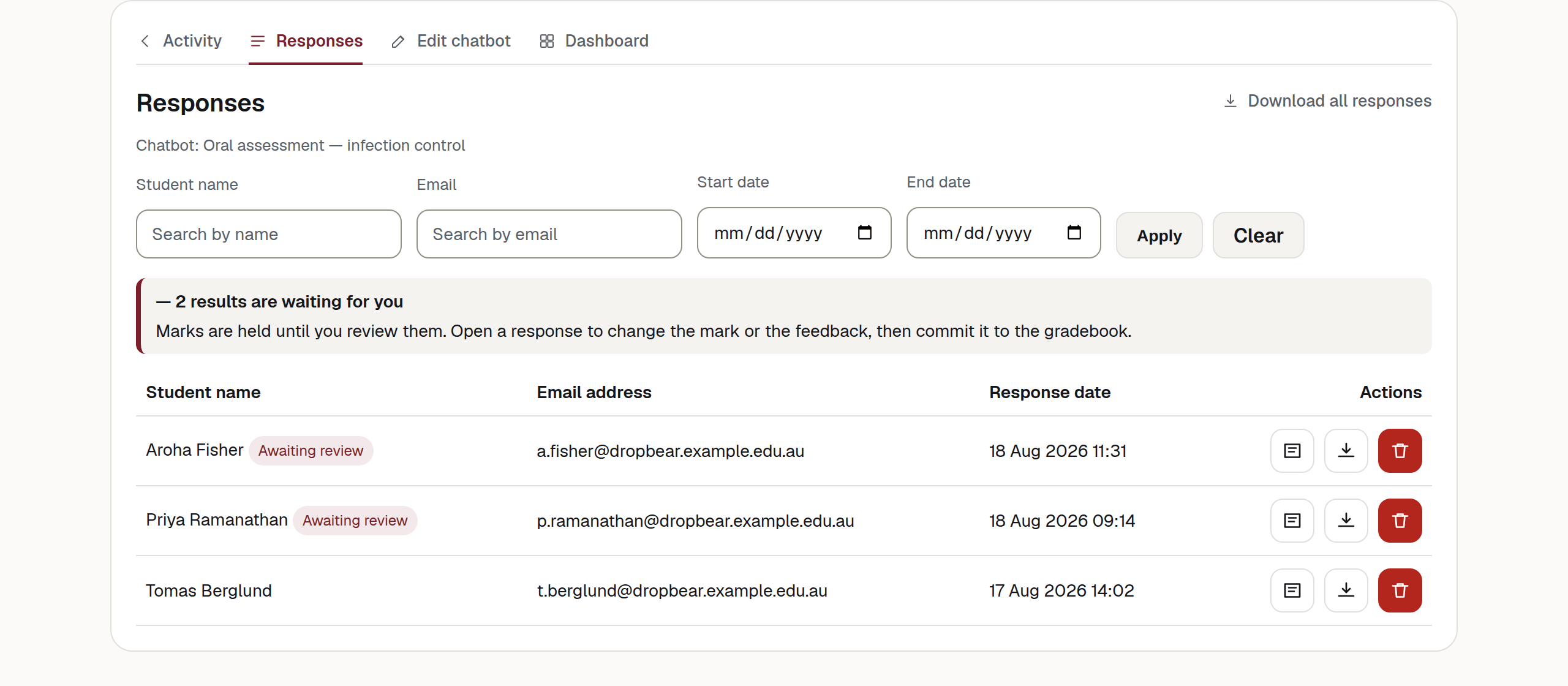
What is waiting for you
When any conversation on the page is held for review, a notice sits above the table:
— 2 results are waiting for you
Marks are held until you review them. Open a response to change the mark or the feedback, then commit it to the gradebook.
The notice counts only the results on the current page. It changes as you move between pages or commit marks. See Releasing a mark.
The filters
Four fields, then Apply. Clear puts the list back to everything.
| Control | What it does | Who sees it |
|---|---|---|
| Student name | Matches anywhere in the name, not only the start. | Every reviewer |
| Matches anywhere in the address. Useful when two students share a first name. | Every reviewer | |
| Start date | Conversations on or after this date. | Every reviewer |
| End date | Conversations on or before this date. | Every reviewer |
The list shows ten conversations a page, newest first, with Previous and Next underneath when there are more. Filters survive paging.
The table
There are four columns: Student name, Email address, Response date, and Actions. With Remember each student enabled, several sittings are grouped into one row.
The badges
| Control | What it does | Who sees it |
|---|---|---|
| Test | A teacher held this conversation, not a student. It was never marked and never sent to the gradebook. | Every reviewer |
| Awaiting review | The rubric has been applied and the mark is being held. Nothing has reached the gradebook. | Every reviewer |
| Unfinished | The conversation was closed by a scheduled process rather than by End conversation. A rubric result is still marked and held. | Every reviewer |
| 3 parts | This conversation came back over three sittings. The date shown is when it started. | Every reviewer |
What to do about each:
- Test — a staff trial. It does not count towards a student’s limit and is not marked or sent to the gradebook. Test rows show the teacher’s name with “(Teacher)” after it.
- Awaiting review — open it, check the mark and feedback, then decide whether to commit it.
- Unfinished — the student did not select End conversation. A scheduled process closes a conversation twelve hours after its last message; it runs every ten minutes, so closed conversations appear through the day. Read the transcript before deciding what to do with the held mark.
- N parts — the student continued the same conversation over several sittings. The detail page and rubric use the whole thread.
The row actions
| Control | What it does | Who sees it |
|---|---|---|
| View response | Opens the detail page. A memory thread is shown as one transcript and one rubric result. | Every reviewer |
| Download response | A file for the selected response record, including its audio. For a memory thread, this download does not combine every part. | Every reviewer |
| Delete response | Deletes the selected response record and its files after confirmation. For a memory thread, other parts remain. | The chatbot owner, or a lead teacher or administrator with access |
| Download all responses | Above the table. Downloads all responses you may access for this chatbot. The visible filters do not narrow this download, and each stored part is exported separately. | Every reviewer |
Warning
Deleting a response deletes the evidence
The confirmation says “Delete this response and all files? This cannot be undone.” Download assessment evidence before deleting it. In a memory thread, deletion applies to the selected part.
Note
Download all responses requires audio for every response in scope. If any response has no completed audio file, the download stops with “Audio is not available for one or more responses.”
What you can and cannot see
You can read conversations for a course after launching its activity as an instructor. The chatbot owner can read all conversations recorded against their chatbot. An organisation administrator can read conversations across their organisation.
You will only see this if you are a lead teacher
You can also read conversations on your own chatbots and on direct copies made from your templates. This is not access to every chatbot in the organisation.
Empty states
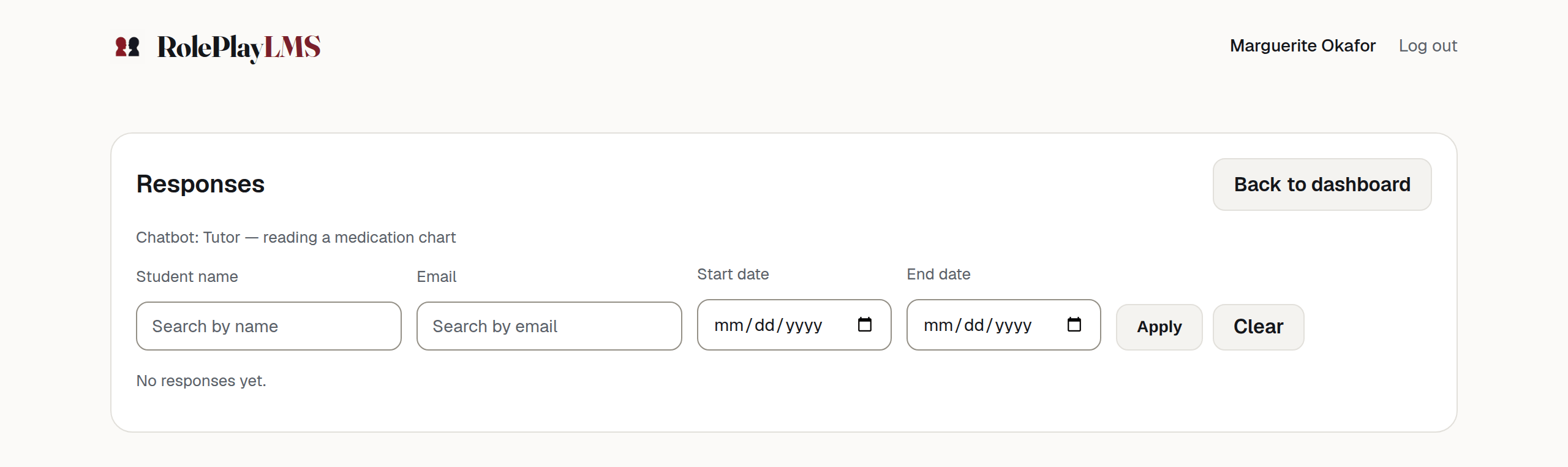
- No responses yet. — nobody has held a conversation with this chatbot. If you built the activity today, that is what you should see.
- Chatbot not found. — the activity points at a chatbot you cannot read, or one that no longer exists. See When something goes wrong.
Next: One conversation in full.