Inside your LMS
Renaming an activity
Rename it in your LMS and the chatbot follows
Rename the activity in your LMS settings. The chatbot normally takes the same name the next time the activity is opened.
You do not need to change anything in RolePlay LMS.
- Open the activity’s settings in your LMS and change its name.
- Save.
- Open the activity once. That launch is what carries the new name across.
This keeps the LMS activity and chatbot names consistent.
The unit code follows too
RolePlay LMS checks the launch for a unit code in this order:
- the course shortname — which for a unit-based course is usually the code on its own;
- the course’s full name;
- the activity’s name.
A recognised code contains letters followed by digits, such as SITXCOM010 or COIT20246. Matching the shape is what lets a course shortname of SITXCOM010-2026-T1 and an activity called “Oral role play SITXCOM010” both give the same answer.
The code appears on the dashboard, in responses and in exports.
Three cases where nothing changes
Warning
The name will not follow in any of these three situations
It is a template. An activity cannot rename a template. A template is also never attached to an activity in the first place — see Choosing what an activity uses.
The chatbot serves two activities. Neither activity can automatically rename the shared chatbot. Give each activity its own chatbot if the names must match.
No unit code is recognised. The activity name can still update, but the existing unit code remains unchanged.
Note
These cases are independent. For example, the name can update while the unit code remains unchanged.
Setting the code by hand instead
If the code cannot be read from your course, set it on the chatbot itself.
- A lead teacher, or a teacher on a platform set up for authoring, can use Edit chatbot on the bar and change it in The scenario.
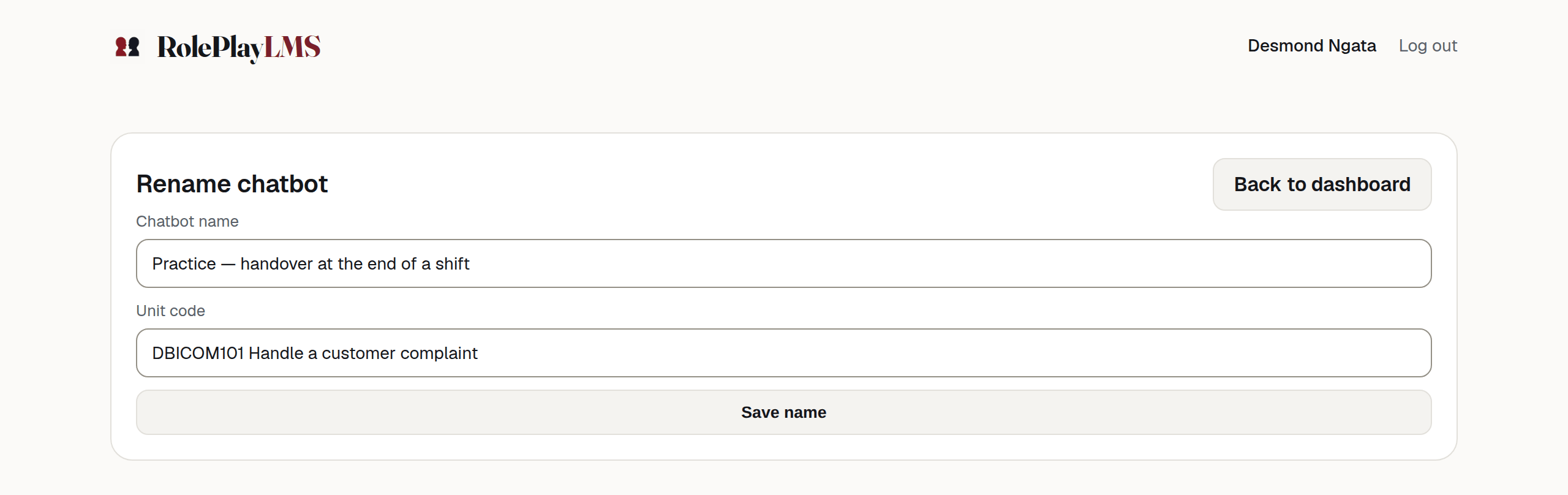
- A standard teacher uses Rename on their dashboard at roleplaylms.com, which offers exactly two fields — Chatbot name and Unit code — and changes nothing else.
Warning
A hand-set name can be overwritten
If the chatbot serves one LMS activity, the next launch can replace a name or unit code entered by hand. Change the LMS activity name when you want the two names to match.
Renaming never touches the character, the scenario, the rubric, the teaching content or any conversation already recorded.